
Table of Contents
Best Lead Scoring Software for B2B Marketing

The best lead scoring software for your team depends on what you need sales to prioritize. Score contacts when reps need to choose who to follow up with. Score accounts when the team needs to decide which companies to research or which opportunities to coordinate. If you do both, give each score a defined routing rule and owner.
Start with HubSpot when the team wants to maintain fit and engagement criteria inside its CRM. Evaluate Salesforce Einstein Lead Scoring when you want to rank Salesforce leads against past conversions. HG Insights is a candidate for teams connecting firmographic fit with product and marketing activity. Consider 6sense when named-account prioritization and buying-stage signals drive the workflow.
Before comparing products, agree on the action you want a score to trigger and the CRM record that should own it. Our B2B lead generation guide covers ways to attract leads in the first place. If your rules depend on company size or industry, check which fields your data enrichment tools actually fill.
Compare lead scoring software by the decision it supports
The purchase references below identify the package or entitlement you need to verify. Ask for a quote using the same record count, internal users, CRM and data sources for each vendor.
| Product | Scoring approach to evaluate | Purchase requirement to check | First CRM check |
|---|---|---|---|
| HubSpot Marketing Hub | Contact and company fit and engagement using rules | Professional or Enterprise for the documented marketing scores; Enterprise for AI-created contact scores | Identify the property or event contributing to a record’s score |
| Salesforce Einstein Lead Scoring | Leads ranked against historical conversion patterns | Confirm Einstein Lead Scoring in your Salesforce edition and agreement | Check the conversion definition and eligible training history |
| HG Insights | Customer Fit and Engagement models, with reasons delivered to the CRM | Request the scoring modules, event integration and record coverage in the quote | Identify which fit and engagement fields run the workflow |
| 6sense | Predictive account buying stage and intent | Confirm the Predictive add-on and required CRM activation | Confirm the account mapping and owner of a stage-triggered task |
HubSpot Marketing Hub for scoring rules the team can maintain
HubSpot’s score builder describes fit scores based on properties, engagement scores based on events and combined scores. Its scoring overview places marketing scores in Professional and Enterprise, while AI-created contact scores require Marketing Hub Enterprise. Confirm the allowed number of scores and the object you need before budgeting for regional models. Contacts are scored in Marketing Hub, companies in Marketing Hub or Sales Hub, and deals in Sales Hub. Check the object and subscription together when your marketing and sales teams use different hubs.
The overview documents group limits and time-based decay for scored events. You could cap points from repeated low-intent activity and give a completed sales meeting a different weight. Have the vendor show how an old action loses its contribution and how the resulting score reaches a workflow. Those are proposed configuration checks.
HubSpot is a useful candidate when operations wants to edit criteria and inspect their effect in the same CRM. Plan who will maintain the rules and review the outcome when a change re-evaluates historical activity. Ask how a new threshold affects leads already assigned to sales.
Salesforce Einstein Lead Scoring for ranking Salesforce leads
Salesforce documents how Einstein learns lead conversion patterns and displays positive and negative contributing factors when available. The model learns from the conversion history recorded in your org. Choose the conversion milestone that matches your sales process before comparing scores.
Its lead scoring FAQ specifies at least 1,000 leads created in the last 200 days, including at least 120 converted to accounts and contacts, for the described local-model requirements. For eligible unsegmented leads with insufficient history, it describes a global model. Segmentation changes that fallback, so ask which segments can actually receive scores with your current data.
The FAQ describes using the Lead Score in Flow and viewing scores in records, lists and reports. It also says lead scores cannot be exported. Confirm any downstream export requirement during the demo and show the workflow that acts on the score. Ask the admin to demonstrate a queue that acts on the score, retains the current account owner and handles leads that have no score. Confirm edition eligibility and the Einstein entitlement in the current quote, since the support and commercial pages can use different package names.
HG Insights for combining fit with first-party activity
HG Insights documents Customer Fit and Engagement models, plus a Lead Grade that combines the two. Its fit model considers company and person characteristics, while engagement uses behavior such as product usage and marketing activity. The model guide explicitly says it does not offer a combined Account Grade. Ask which individual and account outputs are included in the configuration you are buying.
The score output documentation describes sending a score, segment and selected positive and negative reasons to the CRM. That gives the sales team context to inspect when deciding on a follow-up. Ask the vendor to demonstrate the reason shown after a specific product event and how long the update takes through your connector.
If you use a former MadKudu integration, check the documented HG fields in HubSpot before wiring the workflow. Older and newer accounts can use different field names. The current HG Copilots pricing guide lists Data Studio for qualification and predictive account scoring. Confirm whether the quote includes the Customer Fit and Engagement models described here. Specify the event sources, CRM writes and record volume, then ask which seats, data-export credits, AI-action credits and contract term apply.
6sense for prioritizing named accounts
6sense’s predictive buying stages describe an account’s likelihood of opening or progressing an opportunity in the next 90 days. The documentation associates this with the Predictive add-on. Its intent model describes behavior signals that contribute to the account assessment. The current Explainable Scores documentation describes reasons for buying stage, 6QA and company profile fit. It labels those features Open Beta. Confirm access in the interface your reps actually use, and have the vendor show one explanation alongside its underlying account record.
An account can be worth researching before the rep knows which person is evaluating the purchase. Ask the vendor to show the matched account, the signal the rep can inspect and the task generated in the CRM. Include a parent company and a subsidiary in the demonstration so the assignment matches the account sales actually owns.
Keep the account’s stage and an identified contact’s recorded activity visible as separate inputs in the evaluation. For a team that works a small named-account list, the useful output may be a research queue or coordinated account action. Agree on that output before paying for activation channels or additional data.
Check data, routing and model control
Give each vendor the same small set of records, including a high-engagement person at a poor-fit company, a strong-fit company with limited activity and an identified buyer requesting a demo. Ask the operator to explain each result and show the resulting CRM task.
For the underlying data, check the source, timestamp and account association. Give the vendor a record with a missing company field and an event that arrived late. Ask whether the score is withheld, recalculated or left in place, and how the sales user can recognize the condition.
For routing, start with a lead that already has an owner. Change its score, merge a duplicate record and mark it as an existing customer. Check who receives a task after each change and whether any automatic reassignment follows the account rules you intended. Our sales engagement platform comparison covers what happens when reps coordinate the subsequent follow-up.
For control, ask who can change a rule, choose training labels or exclude a record from scoring. Record the settings and date of a model or threshold change. Ask how the admin would recover the prior routing behavior if the new configuration fills the wrong queue.
Measure the pilot against the current queue
Choose an outcome window that fits your sales cycle and keep the acceptance definition consistent. Track how many routed leads sales accepts, how many become qualified opportunities and how much review work each queue requires. Retain the lead or account ID so you can trace a reported outcome to the record.
Start by generating a proposed queue alongside the current process. Review the leads it promotes and the qualified buyers it leaves behind. Then select a routing threshold that fits the team’s capacity and evaluate subsequent outcomes on new records.
For a model trained on conversions, separate the historical records used to build it from those used to evaluate the pilot. Compare the new process with the current queue over the same dates and explain changes in campaign source or lead mix. A higher average score on its own gives the sales team little information about qualified opportunities.
Which lead scoring tool should your team shortlist?
Choose HubSpot when the team needs editable fit and engagement criteria inside an existing marketing CRM. Evaluate Einstein when Salesforce lead history and daily lead prioritization are central to the decision. Consider HG Insights when first-party activity and separate model outputs need to reach an operational CRM workflow. Evaluate 6sense when account buying stage and a named-account sales process are the starting point.
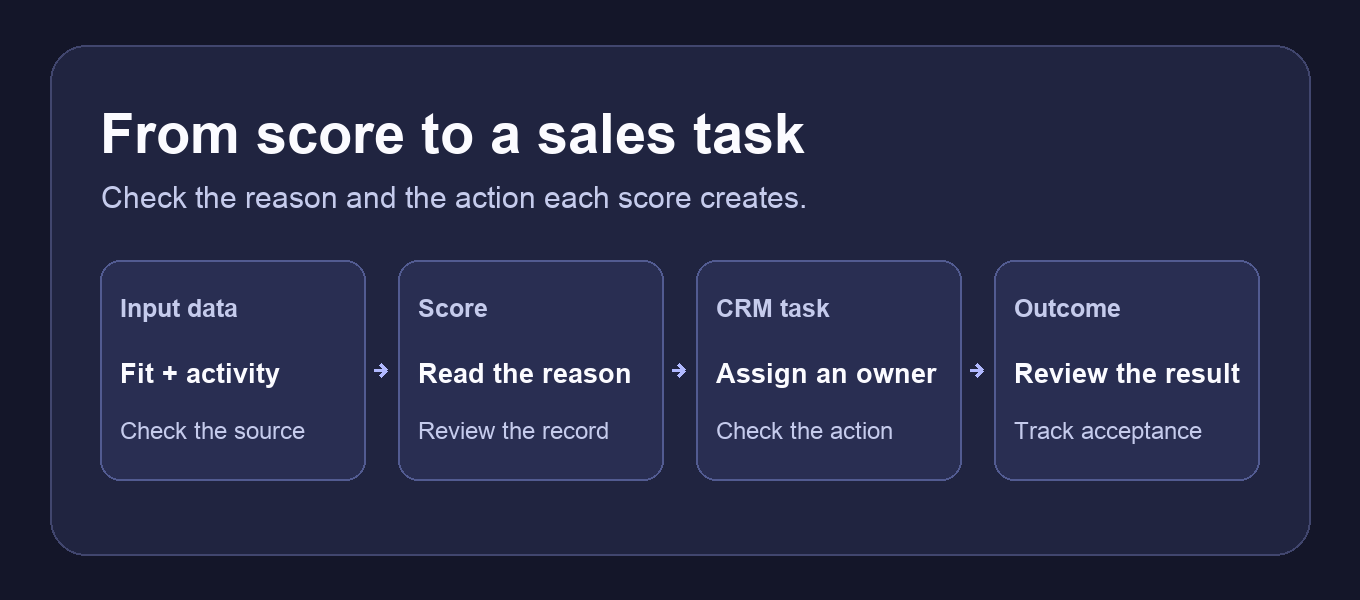
In every case, ask the vendor to demonstrate the journey from input data to score, reason, task and recorded outcome. Compare the package and integration work required to operate that workflow with your own team.
How we compared the tools
We used official product, pricing and support documentation to compare scoring inputs, model controls, CRM activation and purchase requirements. The record scenarios and pilot steps are suggested evaluations. Confirm the current entitlement and demonstrate the workflow with your own configuration before purchase.