
Table of Contents
6 Best Data Enrichment Tools for B2B Marketing

The best data enrichment tools solve a specific gap in your B2B records. Clay suits teams coordinating several data sources, Apollo brings enrichment into an outbound workspace, and HubSpot is a practical starting point when the records already live in its CRM. Cognism, Lusha and People Data Labs offer different routes for governed CRM maintenance, contact data and API-based enrichment.
Choose the workflow first, then compare the fields you actually need. A product that returns many company attributes may still leave your required contact information missing.
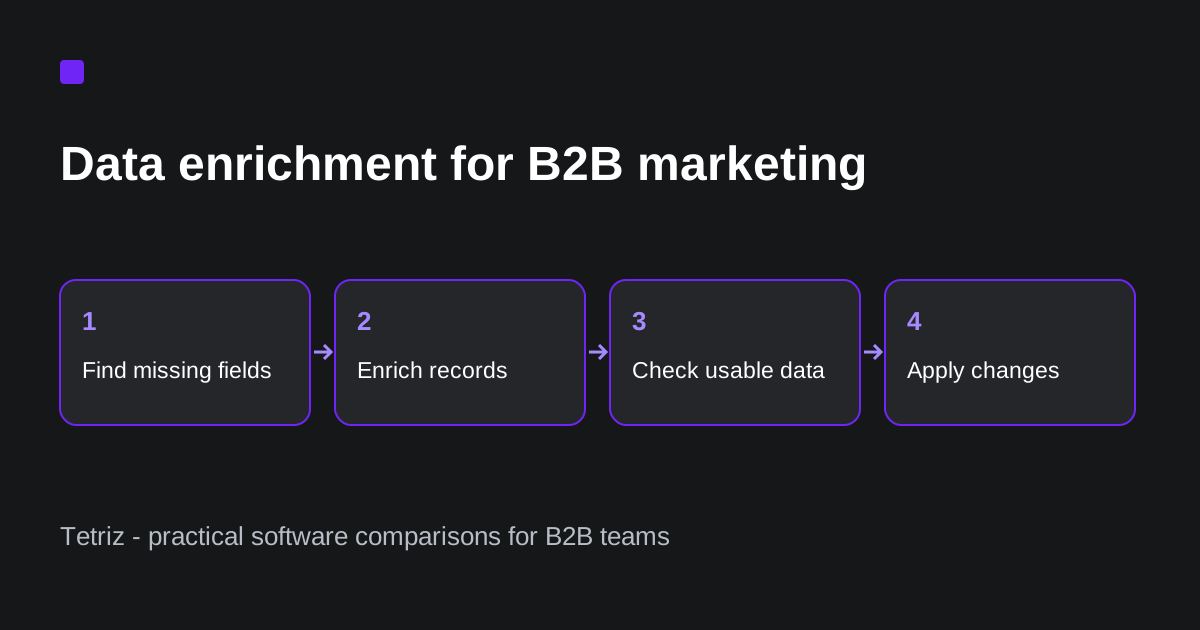
This comparison uses official product and support documentation reviewed from 14 to 19 October 2026. Pricing examples identify the billing term and usage unit. The buyer recommendations are based on documented workflow fit. We have not run a shared dataset through these six products, so this article does not claim a measured accuracy or match-rate winner.
The best data enrichment tools by workflow
| Tool | Workflow to consider | Pricing model to compare |
|---|---|---|
| Clay | Coordinate providers and conditional enrichment | Actions, Data Credits and provider subscriptions |
| Apollo | Enrich records within an outbound workspace | Plan, enrichment credits and endpoint limits |
| HubSpot | Update records already in HubSpot | Eligible subscription; distinguish enrichment from Smart properties |
| Cognism | Maintain selected CRM records with field controls | Annual enrichment package and included usage |
| Lusha | Reveal contact details through a credit-based workflow | Email and phone credit consumption |
| People Data Labs | Build person/company enrichment into an application | Product-specific API credits and volume |
These products are not interchangeable databases. Compare an enrichment result for an existing record rather than the number of prospects a vendor says you can search. A separate Apollo alternatives comparison is more useful if you are replacing an entire prospecting platform.
Clay: multi-provider enrichment workflows
Clay’s plan comparison includes multi-provider waterfalls and distinguishes its Launch and Growth capabilities. Growth adds CRM auto-sync and enrichment, HTTP API integrations and webhook automation. That distinction matters if a table-based research workflow needs to become a recurring CRM process.
With Monthly selected and the starting allowances unchanged, Launch showed $185/month for 15,000 Actions and 2,500 Data Credits. Growth showed $495/month for 40,000 Actions and 6,000 Data Credits. The smaller dollar amounts beside the individual selectors are components of the plan total, not the complete subscription price.
Its Actions and Data Credits documentation separates platform work from purchases of provider data. Bringing your own provider key does not remove the platform Action cost. A workflow can therefore require both Clay capacity and another data subscription.
Consider Clay when you want fallback providers, conditional logic and a workflow you can change as your target segment changes. Check carefully how many steps run per record and which plan includes the integration you need. Do not equate one Data Credit with one complete, usable lead.
Our Clay review covers the broader product context.
Apollo: enrichment alongside outbound work
Apollo’s API documentation covers person and company enrichment as well as record management. API access is available across plans, with limits and credit requirements varying by endpoint. Free accounts must be registered with a work email address for certain search, enrichment and record-retrieval endpoints. An available API does not mean unlimited enrichment.
Its HubSpot integration overview separates a full CRM connection from an enrichment-only connection. The enrichment-only route updates existing HubSpot records without two-way record or activity sync.
Consider Apollo when your team already uses its prospecting and outbound workspace and wants fewer separate tools. Check carefully whether you need a record lookup, contact detail, CRM sync or a different enrichment endpoint. Those are separate requirements even when one platform offers them.
See our Apollo CRM guide before assuming enrichment and a complete CRM integration have the same scope.
HubSpot: enrich records where your team already works
HubSpot’s enrichment guide describes manual, automatic and continuous enrichment of contact and company records. Availability depends on the listed eligible subscriptions and permissions. The same guide states that data enrichment does not consume HubSpot Credits, while Smart properties do.
This is an important distinction when comparing old Breeze Intelligence descriptions with the current feature. An AI-assisted property and standard data enrichment should not be treated as the same charge.
Consider HubSpot when you want missing business attributes filled in the CRM already used for segmentation and routing. Check carefully record eligibility, the subscription you hold and which fields can be updated. Start with the native capability before adding another provider solely to perform the same task.
A richer record should improve a specific workflow, such as assigning the right account segment. Adding fields nobody uses is not a useful implementation outcome.
HubSpot’s enrichment settings guide documents property-level rules to fill blanks, overwrite existing values or leave a property unchanged. Changes to those mappings affect future enrichment rather than retroactively changing earlier results. The guide also warns that conversational enrichment and the Enrich record workflow action can overwrite values regardless of those mapping rules. Check the method your team will actually run before using a blank-fields-only rule as protection for existing CRM values.
Cognism: controlled CRM maintenance
Cognism’s CRM enrichment page describes selecting records and fields, then running one-off, scheduled or real-time updates. Its positioning emphasizes European B2B data and governed changes. Geographic positioning is a reason to test your segment, not proof of a universal accuracy advantage.
The page publishes CRM Enrichment from $12,000 per year, available standalone or alongside its prospecting offering. Confirm included volumes and integration scope for your quote.
Consider Cognism when a revenue operations team needs a recurring record-maintenance process with clear control over writes. Check carefully the fields, markets and contacts included, and what causes another credit charge during maintenance. A recurring enrichment contract is a different buying decision from purchasing a small one-off list.
Lusha: contact details with explicit credit units
Lusha’s pricing page states that revealing an email uses one credit and a phone number uses five credits. Its free plan provides up to 40 credits per month. Those units make the requested contact fields important when estimating capacity.
For illustration, 40 credits could cover 40 email reveals or eight phone reveals under those stated units. That calculation is a capacity example, not a claim that every attempted record will produce the data you need.
Consider Lusha when the main gap is a prospect’s contact details and you want to evaluate a credit-based workflow. Check carefully your required fields and whether the API or CRM route you need is included. Its API product page is a separate source for integration scope.
People Data Labs: enrichment for an engineering-owned workflow
People Data Labs’ credit documentation distinguishes person, company and other API products. It describes credit consumption for successful enrichment matches and separate pricing tiers by product and volume. The documentation applies to its self-serve Pro plans; larger requirements need a separate commercial discussion.
It describes enrichment as typically one credit for a successful request returning a profile, while a bulk request can consume up to 100 credits. Count the enriched records and product-specific usage when budgeting a batch; one HTTP request does not necessarily mean one credit.
Consider People Data Labs when your team can build and maintain the matching, validation and write-back process around an API. Check carefully the identifiers you supply, which returned attributes are usable and the product-specific rate limits. The API response is one step in the workflow. Your application still needs a policy for conflicting values and records that cannot be matched.
Its Person Enrichment input reference documents min_likelihood for controlling match confidence and required for requiring returned fields.
A stricter match threshold can reduce the number of matches, so keep it consistent when comparing samples.
Requiring a returned field also depends on access to the appropriate data-field bundle.
A populated field and a confident identity match still need validation against your intended marketing use.
Compare usable records rather than returned records
Before testing, define the minimum output needed for the next marketing action. For example, account segmentation may require a company domain, industry and headcount. A prospecting workflow may additionally require a current role and a usable business email.
Keep these three measurements separate:
- Match rate: how many input records were matched to an output.
- Required-field completion: how many matched outputs contain the fields you asked for.
- Usable-record rate: how many outputs remain suitable after validation and duplicate checks.
A matching name is not enough if the person has changed employer. A populated field is not enough if your CRM needs a different controlled value.
Use a small, permitted sample from your actual target segments. Include incomplete records, different company sizes and the markets you sell into. Record what each product returned, what was missing and what would be written back. This is an evaluation protocol, not a dataset we tested for this comparison.
A worksheet for comparing total cost
Use the same fields and sample for every candidate.
| Measurement | What to record |
|---|---|
| Starting records | Input count and identifiers supplied |
| Required fields | Exact attributes needed for the next action |
| Returned matches | Matched outputs before validation |
| Usable records | Outputs passing your stated criteria |
| Consumption | Provider credits, platform actions and retries |
| Total cost | Subscription allocation, usage and integration work |
| Write policy | Fill empty fields, overwrite or send to review |
Calculate cost per usable record as the total cost attributable to the sample divided by the number of usable outputs. Use your observed results rather than a vendor-wide marketing accuracy claim.
For a worked example, suppose a sample costs $60 and produces 75 usable records. The calculated cost is $0.80 per usable record. If 100 outputs were returned but only 75 passed your criteria, dividing by 100 would understate the cost. These are illustrative inputs, not measured product results.
Also compare the billing unit with your ongoing cadence. A one-time cleanup and repeated maintenance of the same records can have very different economics.
How to choose the right B2B enrichment tool
Start with HubSpot if its eligible native enrichment meets the needs of records already in that CRM. Compare Apollo when enrichment belongs inside the outbound process. Use Clay when the team needs control over multiple providers and conditional workflows.
Compare Cognism for governed recurring CRM updates and Lusha when contact-detail credit consumption is the central buying question. Consider People Data Labs when an engineering team owns the enrichment pipeline.
Before deploying a workflow, agree who can overwrite fields and how exceptions reach a human reviewer. Our Apollo API guide provides additional context for connecting prospect data to an existing stack.
Frequently asked questions
What is a data enrichment tool?
A data enrichment tool adds or refreshes attributes on an existing contact or company record. The useful result is a field your team needs for segmentation, routing, research or outreach. Buying a larger contact database is a related task, but it does not establish that an enrichment workflow works well on your existing records.
Is Clay a data provider or an enrichment platform?
Clay coordinates enrichment and other workflow steps across data sources. Its platform Actions and purchased Data Credits are separate units. Evaluate the provider coverage and the orchestration cost together, including any subscriptions you bring through your own provider keys.
Is HubSpot enrichment charged through HubSpot Credits?
HubSpot’s current enrichment documentation states that standard data enrichment does not consume HubSpot Credits. Smart properties do consume credits and should be evaluated separately. Confirm your subscription, record eligibility and permissions instead of assuming every HubSpot AI or data feature has the same billing rule.
Which enrichment tool has the best accuracy?
This comparison does not establish an accuracy winner because the six products were not tested on a shared dataset. Compare the required fields on a representative permitted sample from your own market. Keep match rate, freshness and usable outputs separate when making the decision.