
Table of Contents
Best AI Marketing Agents for B2B Teams

An AI marketing agent is easiest to compare when you can name the job and the point where it ends. A competitor-monitoring agent might collect source links and prepare a weekly brief for review. A content agent might prepare a draft in a CMS. An agent connected to a marketing automation stack might also create a task, update a record or alert an owner. Those outcomes call for different access, supervision and budgets.
For research and draft workflows, start by comparing Copy.ai and AirOps. Breeze deserves a look if your marketing team already works in HubSpot and needs an agent that passes drafts into its content tools. For workflows spanning several systems, evaluate AI by Zapier and Make AI Agents (New) against the same set of allowable app actions. Choose the shortlist based on where the result needs to appear and who can approve it.
If the job is automated prospect research and sales outreach, compare AI SDR tools. For SEO and visibility work, start with our AI SEO tool comparison.
Define the job before giving an agent access
Write a job specification with a trigger, an approved set of inputs, a deliverable and a stop condition. For a weekly acquisition report, the trigger could be Monday morning and the inputs could be two approved exports. The deliverable could be an internal note with source references and a list of missing fields. An analyst checks the totals before the note reaches a shared channel.
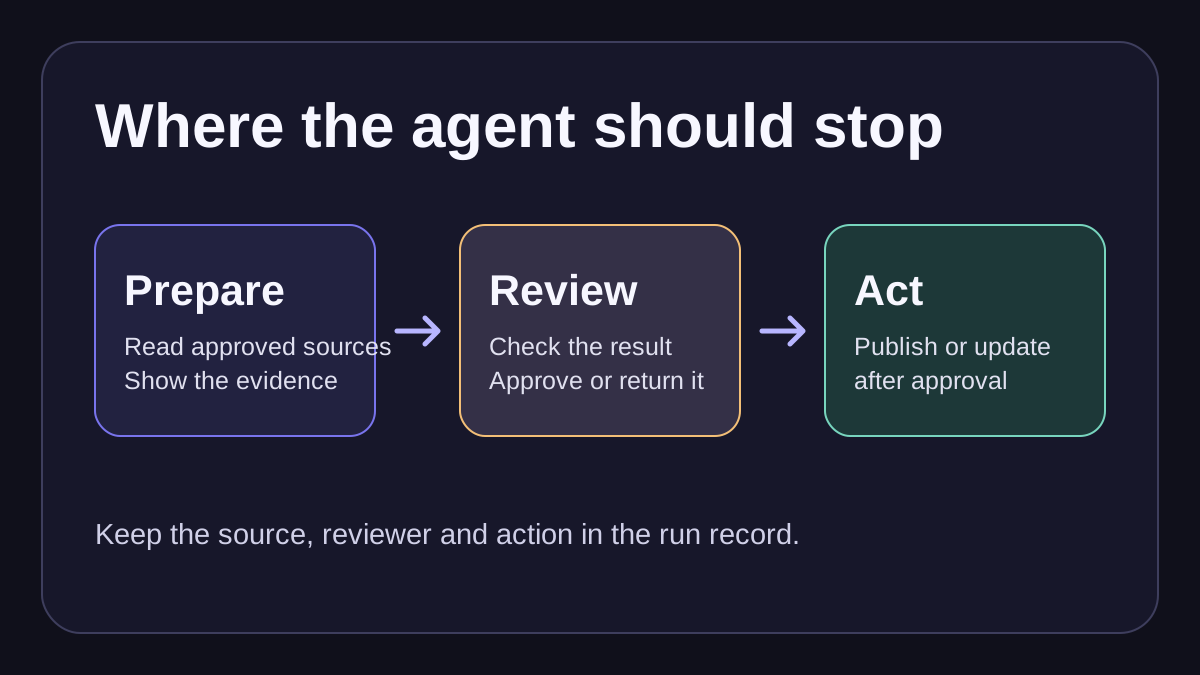
This comparison draws on official product, support and pricing documentation reviewed through November 12, 2026. The examples are proposed buyer evaluations. A useful trial would deliver the agreed output and preserve enough evidence for a reviewer to reconstruct how it was made.
The table scrolls horizontally on smaller screens.
| Platform | Job to evaluate | Review or execution boundary | Usage unit to verify |
|---|---|---|---|
| Copy.ai | Recurring competitor research and briefing | Review the assembled evidence before distributing a brief | Workflow credits vary with steps and content |
| HubSpot Breeze | A campaign or article draft in HubSpot | Separate creation in the editor from the permission to publish | Confirm HubSpot plan and the named agent’s entitlements |
| AirOps | Structured editorial pipeline | Put a review step before the CMS action | Billable tasks depend on the step and input |
| AI by Zapier | Scheduled reporting and app handoffs | Apply approval to sensitive app tools and inspect Zap history | Verify tasks and model tier for the actual run |
| Make AI Agents (New) | Multi-system monitoring or triage | Separate approved tools and downstream write steps | Make credits and possible provider token charges |
Copy.ai for recurring competitor research
Evaluate Copy.ai against a weekly competitor brief with a consistent set of fields. Ask for a source URL and date alongside each factual observation. Have the analyst review all proposed implications before the brief is sent to sales. Copy.ai’s credit definitions describe workflow credits as usage that can vary with the steps and content produced. The public Growth plan showed 20,000 monthly workflow credits and $12,000 billed annually. The smaller chat price is a different buying unit. Compare a short input and an unusually long input before estimating credit usage. Check the workflow builder documentation and Infobase to confirm how you will supply approved company facts. Keep the distribution step outside the evaluation until the brief is consistently sourced.
HubSpot Breeze for drafting in the same content workspace
HubSpot’s Content Agent documentation is the place to verify how drafts reach the editor. For a product launch, specify the source product facts, responsible editor and required approval before publication. In Marketing Studio, the documented workflow has the user review generated assets before publishing. The HubSpot product catalog lists 1,000 HubSpot Credits for one generated piece under Content Agent (Beta). Use the cost of the relevant Content Hub configuration and check how many distinct pieces your campaign generates. For budgeting, two qualifying landing pages and one qualifying social post would count as three pieces. Both the standard catalog and the flexible seats-and-credits rate sheet list the same beta rate per piece. Check your subscription’s credit allowance and account eligibility separately. If the workflow requires an enforced publishing approval for a blog post or landing page, HubSpot’s content approvals documentation specifies Content Hub Enterprise and the appropriate approval permissions. Treat the draft’s review process and the enforced approval feature as separate buying checks.
AirOps for a content workflow with a review step
AirOps documents a Human Review step. A content operations team can evaluate that step between a structured draft and the action that sends it onward. The reviewer can edit a single item or select and edit values before the flow continues. Use that step to confirm source-backed claims and preserve the selected value in the run history. Check which CMS destination and permission you are actually using. The task pricing FAQ distinguishes billable workflow steps and says task usage depends on the action and input. It also gives a Solo overage reference of $0.025 per task, so confirm which workflow features your plan supports before applying that figure. For search visibility tracking and plan coverage, see our separate AI SEO tools comparison.
AI by Zapier for reports and actions across apps
Zapier documents the migration from standalone Agents to AI by Zapier. Its current documentation describes a trigger with a tool-enabled AI step, per-tool approval and inspection of tool calls and task use in Zap history. For a weekly funnel report, evaluate read access to the source, where the draft goes, and whether the step that distributes it can run only after review. Review the connected account under which the Zap runs. For an external send or record update, use explicit approval on the tool or place the action after a dedicated approval step. Use Zapier’s approval reference to confirm the plan and feature before pricing the workflow. During migration, recheck the actions and knowledge sources your old Agent actually used.
Zapier’s model tier documentation lists Advanced at three tasks for the step and three for each successful tool call. Premium uses five in each case. An AI step with three successful tool calls would use 12 Advanced tasks or 20 Premium tasks before other Zap steps or reruns. The Standard tier does not support tool calls. Measure the run with your chosen model and check task limits before relying on a budget.
Make AI Agents (New) for monitoring and triage
Make’s credit guide distinguishes the agent operation, tool usage and AI-provider choice. For a campaign triage workflow, start with read access and have the agent create a draft ticket with an explanation and source link. The Make tool documentation describes modules and scenarios as ways to give an agent an action to call. Allow the smallest set of tools that can finish the proposed job. Make’s setup guide documents a step timeout and settings for conversation history. Pick a timeout that fits the job and route failed runs to a person who can decide whether to retry. Keep CRM or external communication writes in a separate reviewed step when a wrong action would be hard to undo. With Make’s AI Provider, the guide describes an operation credit plus token-based credits for running the agent. With a custom provider, the listed Make operation charge and that provider’s own billing both matter. Our Apollo API guide offers an example of a connected data source and the work involved in defining its fields.
Compare the cost of one completed job
Pick a common monthly volume and follow the workflow from trigger through approval. Include the connector, model, software plan, retries and review time. Document what happens when an input arrives late, a tool call fails or a reviewer rejects the output. Include that review or recovery in the cost of a completed job.
Price landing page drafts at the same volume
Suppose a team needs eight campaign landing page drafts per month, each approved by an editor. Give each platform the same product facts, audience and offer. Count a completed draft once in the cost calculation and track the usage consumed by retries separately. For HubSpot, eight qualifying landing page drafts at the catalog reference of 1,000 credits would require 8,000 credits. If 5,000 shared credits are still available, that example leaves 3,000 credits to buy. At the standard catalog’s $0.01 additional-credit rate, that is $30 beyond the subscription, assuming the account has that purchase option and no other workflows use the same allowance. If a workflow also generates another qualifying asset, such as a social post, count it separately. Ask each vendor how regenerating or replacing an asset affects usage before treating the estimate as a budget. For Copy.ai and AirOps, log the actual credits or billable tasks for the same eight inputs. For Zapier and Make, inspect the runs that branch or retry as well as the shortest successful runs. Then divide the plan and usage costs plus review time by the number of approved deliverables. Use these quantities as planning assumptions and replace them with your own usage before buying.
Decide what happens when the job goes wrong
Test the same representative examples on each shortlisted product. Include an incomplete export, a stale source, a duplicate event and an output the reviewer rejects. Require the workflow to log the source and time, stop when required data is absent, and surface the reason to the right owner. For actions that create or update records, use a stable request key so the same retry cannot create a second record. Check whether the operator can replay the failed step without repeating an earlier send or update.
| Trial input | What to check |
|---|---|
| An export without opportunity-stage data | The agent reports the missing field and stops before posting pipeline totals. |
| The same reporting event twice | Both runs can be traced, and the destination receives only one report. |
| A reviewer rejects an unsupported claim | The draft stays unpublished and the reviewer can find the original source. |
| A destination fails after the workflow prepares the report | The owner can retry delivery without creating a second draft or rewriting source records. |
Zapier documents approval per tool. Put the approval at the step that writes to the destination. In Make, review incomplete execution handling and automatic retry rules before you give a scenario permission to write again.
For an acquisition example, give the agent two campaign exports and ask for a weekly report grouped by source and stage. Have the reviewer check the totals against the original exports before the agent can post the report. That workflow exercises data access, checks, review and distribution in one bounded job.
Shortlist by what the team already operates
A team with editorial owners and repeatable content jobs can start with AirOps or Copy.ai, depending on where source facts and editorial review already live. If campaign and content drafts already live in HubSpot, evaluate Breeze before adding another workspace. For triage, recurring reporting or actions across several tools, compare Zapier and Make on the exact permissions, error handling and operating costs your job needs. Keep the same proposed job and approval rules for each demo so the results can inform the buying decision.